Effortless Employee Scheduling for Modern Teams
Build accurate rosters in minutes, not hours. Rostero is the professional-grade employee scheduling software designed to eliminate conflicts, empower your team, and simplify your operations.
Powering seamless employee scheduling for teams of all sizes
Customer Story
Rostero helps teams save time and simplify shift scheduling
The software has made shift scheduling so much easier for me. I used to write the shift schedule on Excel and send it to everyone through a WhatsApp group. Now it's all in one system, I build the shift schedule there, and employees can see their shifts on the mobile app right away, no more sending anything out separately. It saves me about two hours of work every week. Employees can also request a shift swap from their phone, but it still has to be approved by me or the supervisor before anything changes, so I'm always in the know.


Quasean Phillips
Jacan Food Distributors
Built for your world
Scheduling Software Built For Your Industry
Whether you're managing a local shop or a global healthcare network, Rostero adapts to your specific operational needs.

Healthcare
Ensure 24/7 patient-first care with fatigue prevention rules and instant credential-based assignments.
Learn More
Hospitality
Manage servers, bartenders, and kitchen staff across multiple venues and shifts with a single, unified view.
Learn More
Retail
Match your staffing levels to customer foot traffic. Deploy Rostero to ensure you're never understaffed during a rush.
Learn More
Manufacturing
Handle complex shift rotations and overnight schedules while maintaining strict labor compliance.
Learn MoreFeatures
Powerful Features, Zero Complexity
Rostero brings together employee scheduling, time tracking, compliance, and reporting in one clean, intuitive platform.
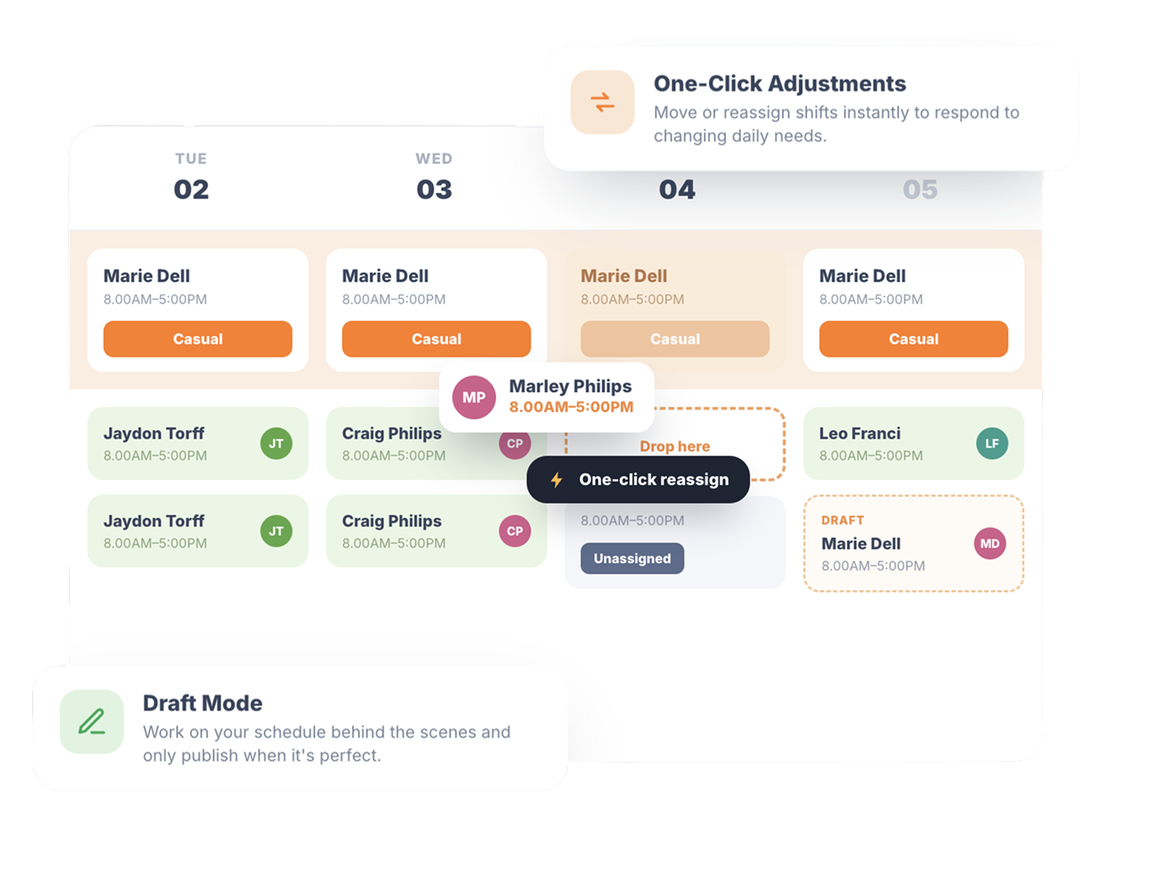
Build Your Roster with Visual Simplicity
Building a schedule shouldn't be a puzzle. Our intuitive employee scheduling software allows you to drag shifts across employees and days, giving you instant visual feedback on your coverage.
- One-Click Adjustments — Move or reassign shifts instantly to respond to changing daily needs.
- Draft Mode — Work on your schedule behind the scenes and only publish when it's perfect.
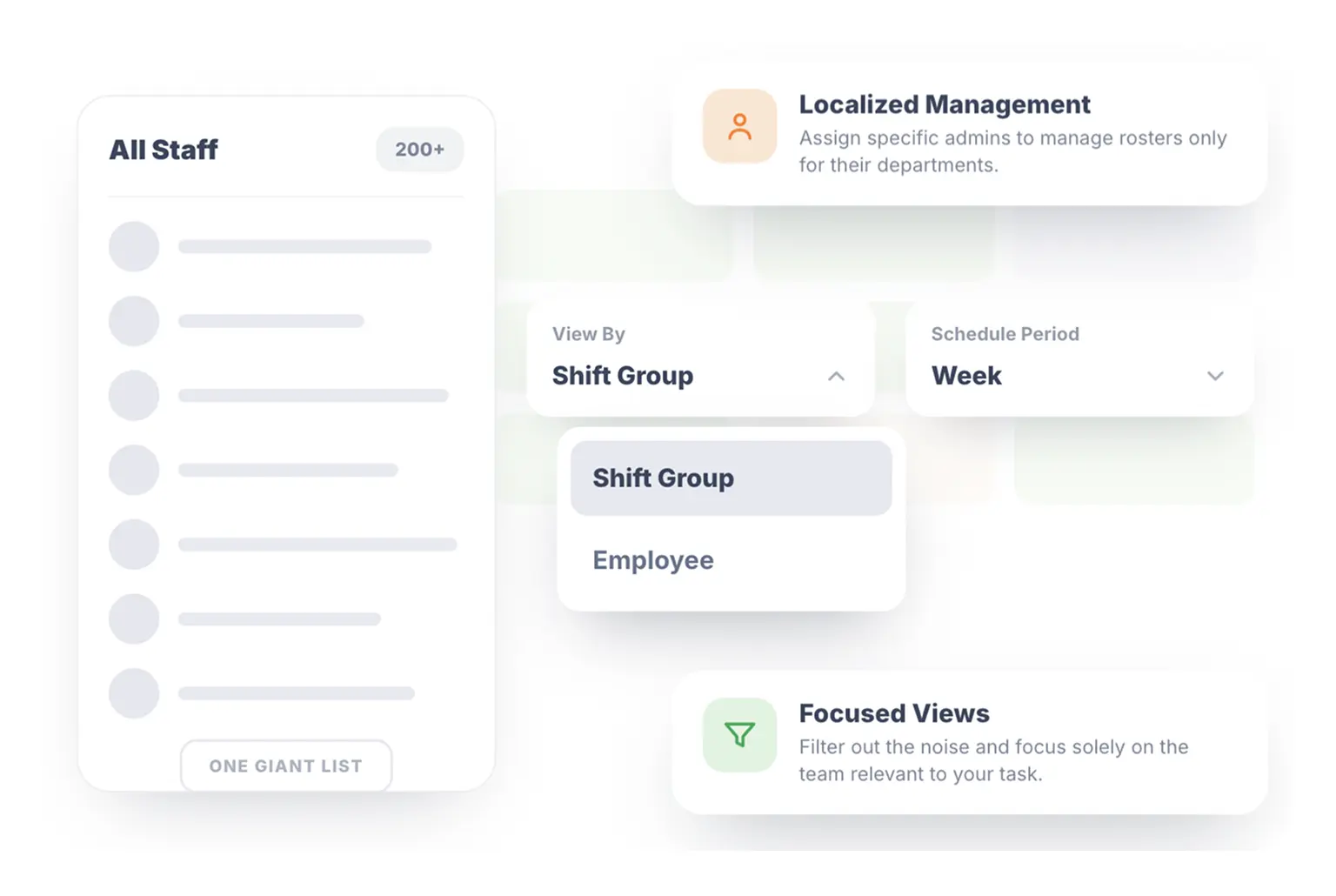
Granular Control with Departmental Groups
Stop managing one giant list. Rostero allows you to organize your staff into specific Departmental Shift Groups, ensuring that each team is managed by the people who know their workflow best.
- Localized Management — Assign specific admins to manage rosters only for their departments.
- Focused Views — Filter out the noise and focus solely on the team members relevant to your current task.
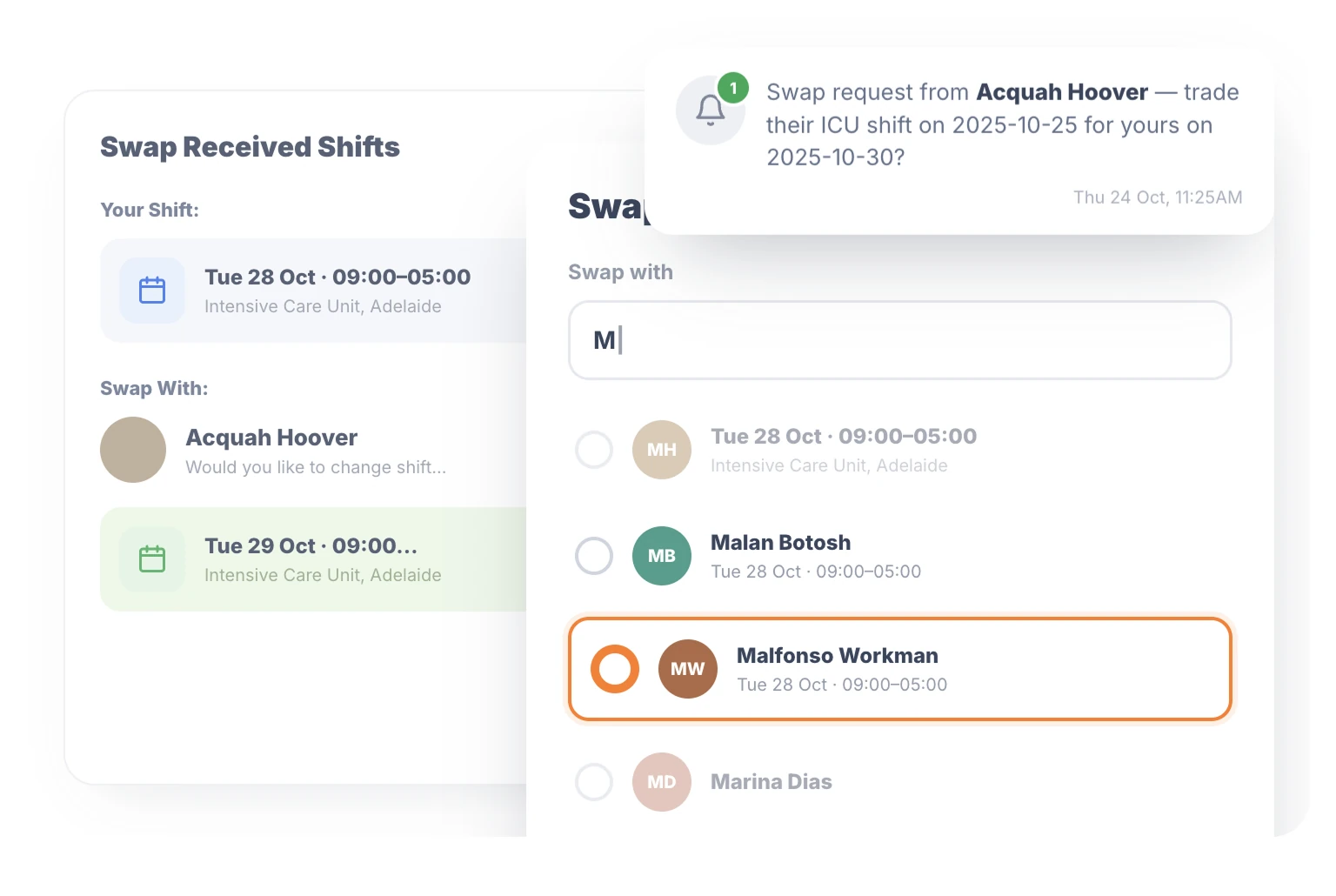
Empower Your Team with Shift Trading
Our employee scheduling software gives your employees a say. Staff can request shift swaps for manager approvals instantly, reducing your administrative workload.
- Automated Logic — The system ensures swaps only happen between eligible employees.
- Real Time Updates — Maintain clarity with real time updates across the organization.
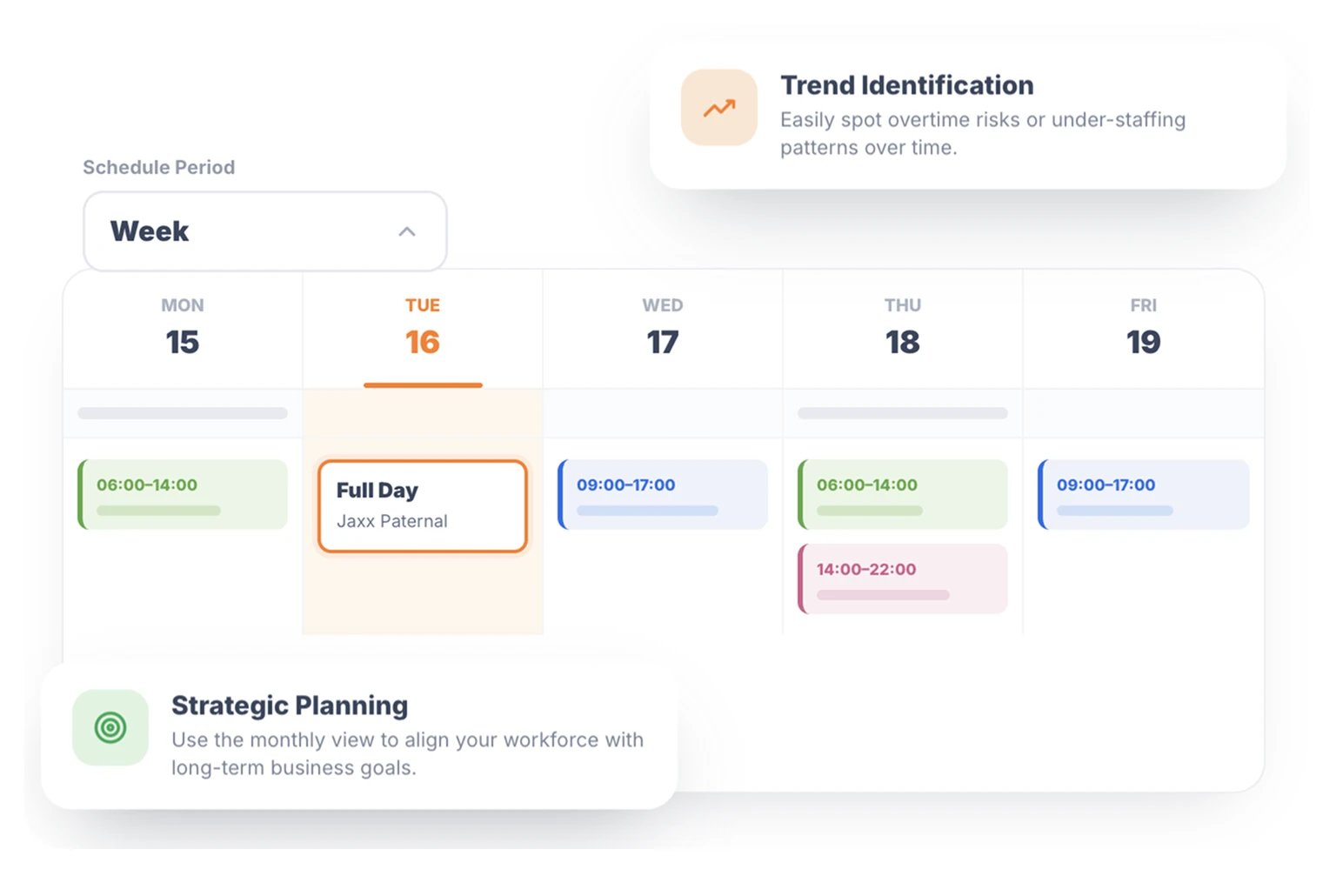
Switch Perspectives in a Single Click
Whether you need to plan for next quarter or the next hour, Rostero adapts. Toggle between daily, weekly, and monthly views to identify staffing trends and gaps before they become problems.
- Trend Identification — Easily spot overtime risks or under-staffing patterns over time.
- Strategic Planning — Use the monthly view to align your workforce with long-term business goals.
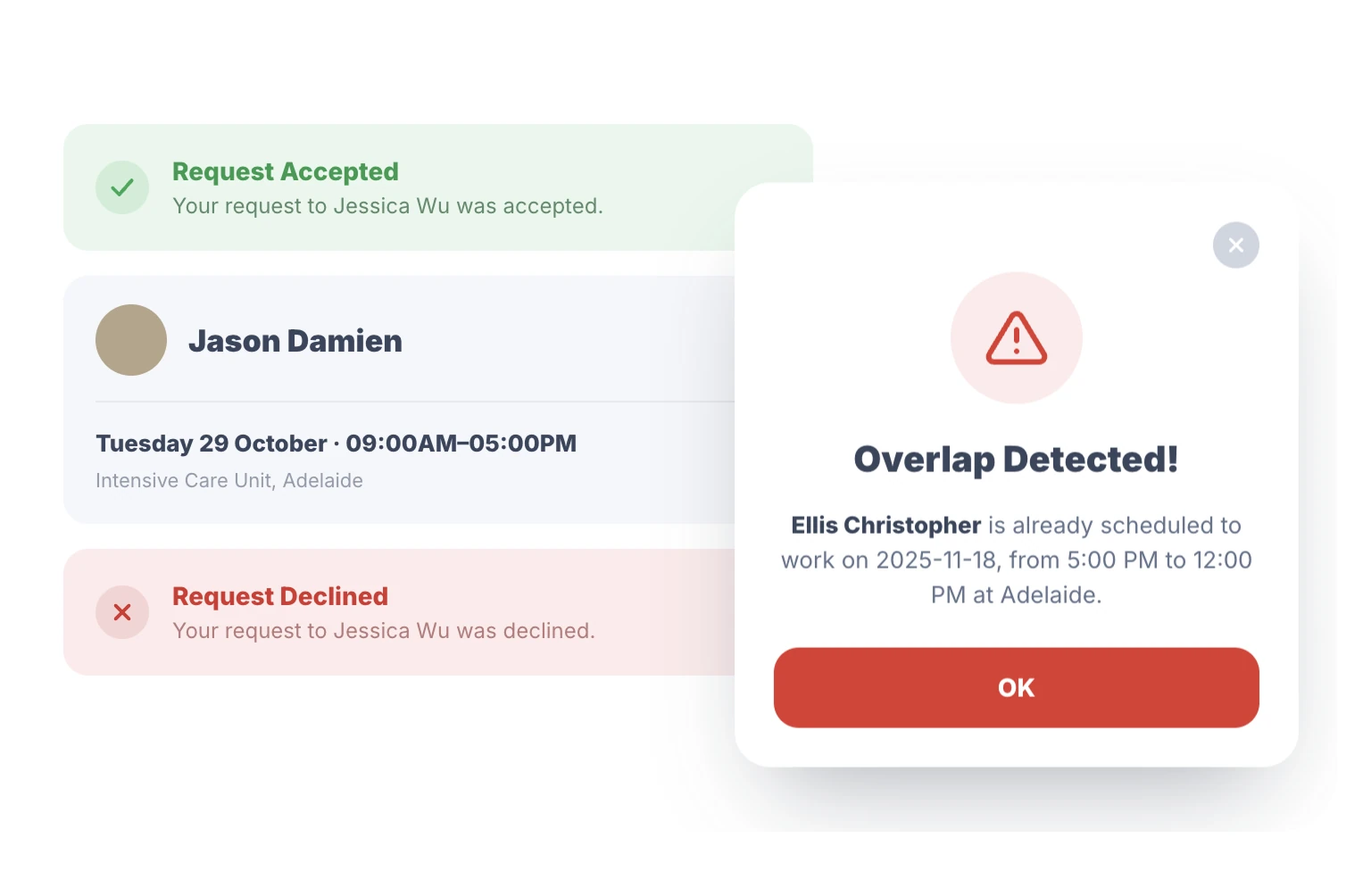
Eliminate Overlaps and Scheduling Errors
Human error shouldn't cost you money. Rostero's intelligent conflict detection flags overlapping shifts, leave clashes, and availability issues the moment they occur.
- Real Time Guardrails — Get instant alerts if a shift assignment violates a rule or overlaps with existing leave.
- Accuracy Guaranteed — Ensure every roster you publish is 100% compliant and conflict-free.
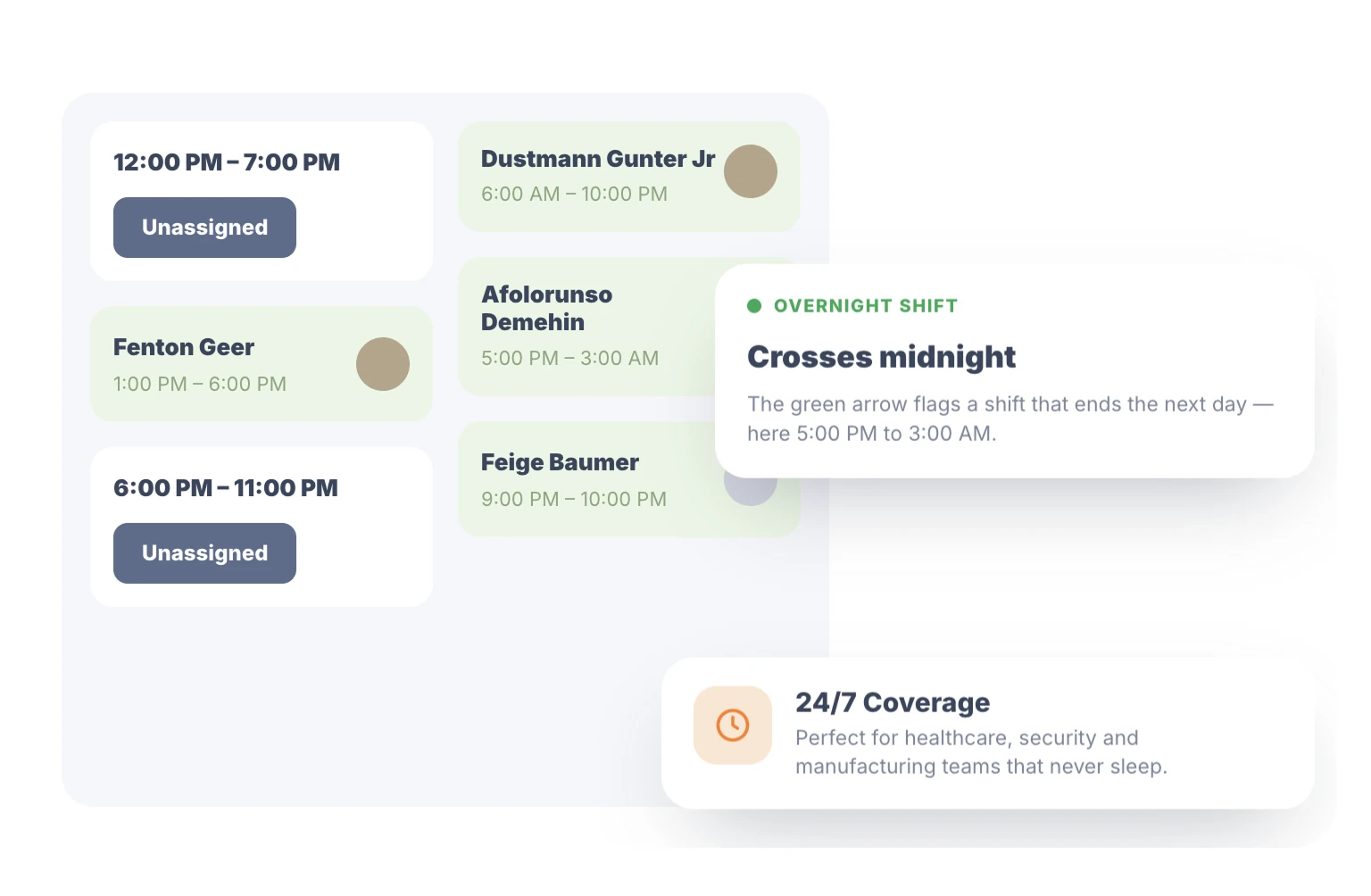
Complex Rotations Made Simple
Managing shifts that cross midnight can be a nightmare. Rostero provides robust support for overnight shifts and complex rotations, ensuring your time-tracking and payroll data remain accurate.
- Seamless Transitions — Track hours accurately across date changes without manual adjustments.
- 24/7 Coverage — Perfect for healthcare, security, and manufacturing teams that never sleep.
Data-Driven Results for Your Bottom Line
Efficiency isn't just a goal, it's a measurable outcome.
Reduction in manual scheduling time.
Conflict rates with shift validations.
Hours saved per manager every month.
Simple to get started
Three Simple Steps to a Seamless Schedule
Rostero is built for rapid deployment, allowing you to move from complex spreadsheets to a live, synchronized roster.
Define Your Structure
Create your departments and shift groups to match your unique organizational hierarchy.
Assign & Publish
Use visual drag-and-drop tools to build the perfect roster and push it to your team instantly.
Approve & Sync
Manage live swap requests and leave as they happen, while your data flows seamlessly to payroll and attendance.
Feature Comparison Matrix
Rostero vs. Deputy
A side-by-side look at scheduling, organization, filtering, access control, and reporting, so you can see exactly what each platform delivers.
| Feature Area | Sub-Feature | Rostero | Deputy |
|---|---|---|---|
1Scheduling & Shift Creation | Drag-and-drop scheduling | ||
| Create shift by clicking date cell | |||
| Copy a schedule/week forward | |||
| Bulk shift creation (one shift to multiple employees, auto-generates individual shift instances) | — one employee at a time only | ||
| Custom recurrence patterns per shift (e.g., every other week, every 3 weeks, specific weekday combinations) | — limited to repeating a fixed weekly block | ||
| Recurrence combined with multi-employee assignment (apply a pattern to a whole group at once) | |||
2Shift Organization & Visualization | Organize shifts by physical area | ||
| Organize shifts by functional role (e.g., manage nursing staff as one group across wards) | — area only | ||
| Defined shift types (Morning / Afternoon / Overnight, etc.) | |||
| Swim-lane visualization of shift types within a group | — shifts appear as one undifferentiated block | ||
3Employee Matching & Filtering | Filter by completed training/certifications | ||
| Filter by specific skill | — training/certification records only | ||
| Filter by skill level/years of experience | |||
| Filter by department or sub-unit (including hierarchy, e.g., wards, branches) | |||
| Filter by job title/job category | |||
| Filter by current capacity (scheduled/allocated hours within a date range, min/max thresholds) | |||
| Combine all of the above in a single search | |||
4Access Control & Permissions | Fixed access tiers (Employee, Supervisor, Manager, Admin) | ||
| Custom roles scoped to a shift group (e.g., "Shift Group Manager") | — tiers are fixed and not configurable | ||
| Multiple managers per shift group, each with different rights | |||
| Granular control per manager (create shifts/edit times/assign employees/replace employees, controlled separately) | |||
| Delegate "replace employee" rights locally while HR retains ownership of the master roster | |||
| Cross-location access for department heads (own staff across multiple shift groups/locations, without full admin access) | |||
5Reporting & Analytics | Standard, pre-built reports (attendance, leave, scheduling) | ||
| Custom report combining shift, attendance, and leave data in one view | — only via a discontinued classic builder or a paid Analytics+ add-on |
*This comparison is provided for general informational purposes only and is based on publicly available information as of April 2026. Features and capabilities are subject to change over time. While we strive for accuracy, we do not guarantee completeness or correctness. We recommend verifying details directly with the respective vendors before making any decisions. All product names, trademarks, and registered trademarks are the property of their respective owners.
Ready to Upgrade Your Roster?
Join the future of scheduling with our comprehensive employee scheduling software.
Frequently Asked Questions
Rostero stays ahead by prioritizing speed and team autonomy. Unlike outdated legacy systems, we offer a seamless experience that combines secure time tracking with advanced features like departmental shift groups, ensuring that your business is managed with enterprise-grade efficiency.
Yes. Rostero is designed for organizational hierarchy. Using departmental shift groups, you can segment your business by location, team, or role. This allows managers to focus on their specific staff while you maintain a high-level view of the entire operation.
With our drag-and-drop scheduling tool, what used to take hours now takes minutes. You can move shifts visually, use templates for recurring rosters, and publish the entire week to your team’s devices with a single click.
Rostero simplifies the chaos of call-outs. Through shift swaps, employees can trade shifts with qualified colleagues directly. Managers receive a notification for approval, and the roster updates automatically in real time.
Absolutely. Our overnight shift support is built to handle complex rotations that span across multiple days. Rostero accurately calculates hours and ensures your visual roster clearly shows coverage throughout 24-hour periods.
Yes. Our adjustable view perspectives allow you to toggle between daily, weekly, and monthly views. Whether you are checking today’s attendance or planning your labor costs for the next month, Rostero provides the exact level of detail you need.