Employee Scheduling Software That Keeps Every Shift Covered
Build the schedule, edit, and publish it with confidence, all from one dashboard. From single-site shift planning to coordinating rosters across multiple locations and departments, Rostero keeps employee scheduling simple, so managers spend less time reconciling schedules and more time running the floor.
Powering seamless employee scheduling for teams of all sizes
Faster Building
Set shift details once, start times, breaks, locations, and build from there instead of starting from a blank grid every week.
Real-Time Visibility
So that managers catch coverage gaps and overlaps before they turn into a scramble.
Structured Scheduling
Whether it's one site or ten, one department or twenty, the schedule reflects how the business is actually structured.
Scheduling Shouldn't Slow Down Your Day
Manual rosters and scattered spreadsheets turn a five-minute task into a half-day project. Rostero replaces that with employee scheduling software built for simplicity without chasing updates across five different tools.
Hand Off Scheduling Without Handing Over Control
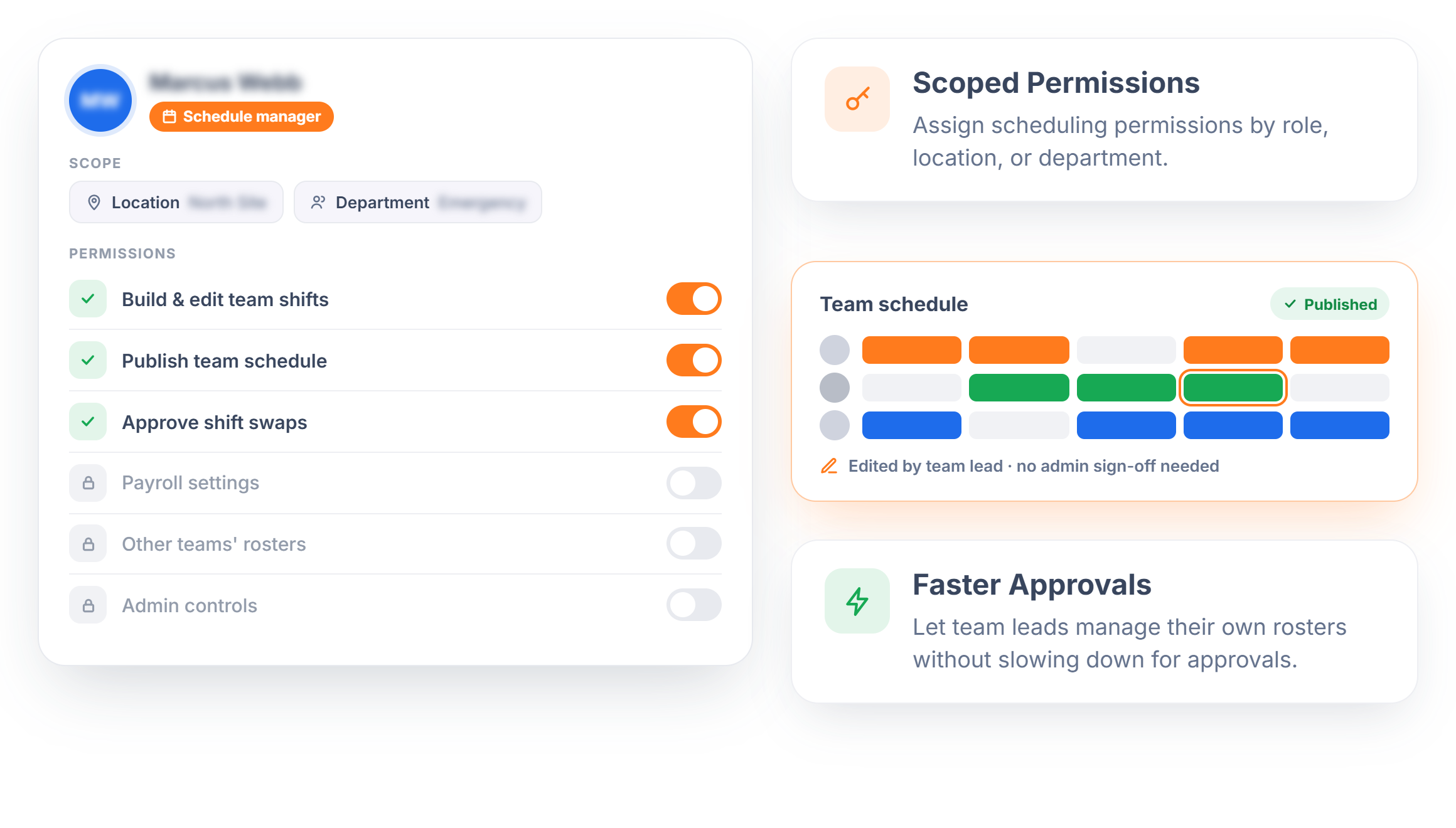
Not every schedule needs to run through one person. Rostero lets admins assign team leads or shift supervisors as schedule managers, with permissions scoped to exactly what they need. A supervisor can build and adjust their own team's shifts without ever touching payroll settings, other rosters, or admin-level controls.
- Scoped Permissions — Assign scheduling permissions by role, location, or department
- Faster Approvals — Let team leads manage their own rosters without slowing down for approvals.
Publish When It's Ready, Not Before
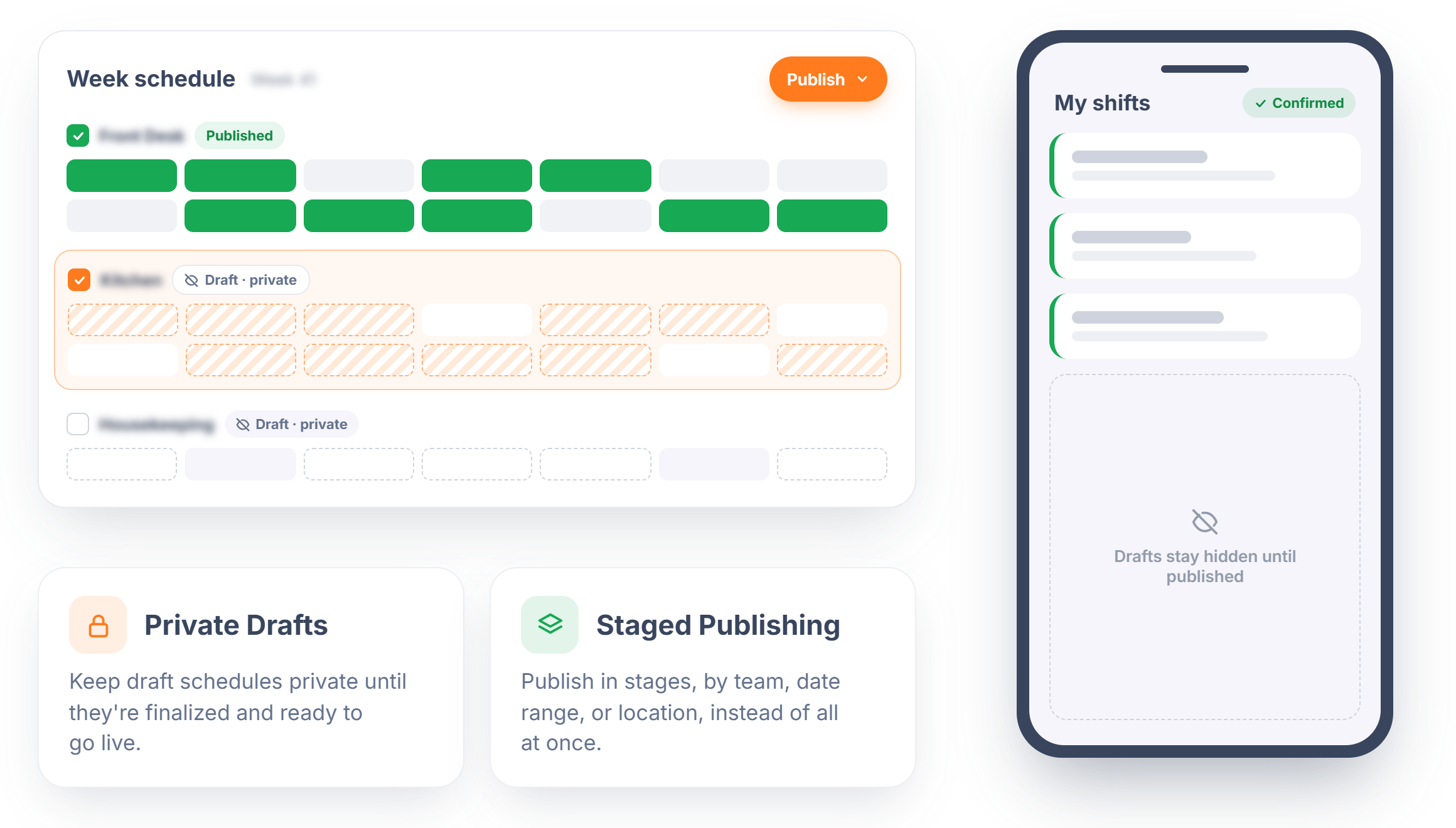
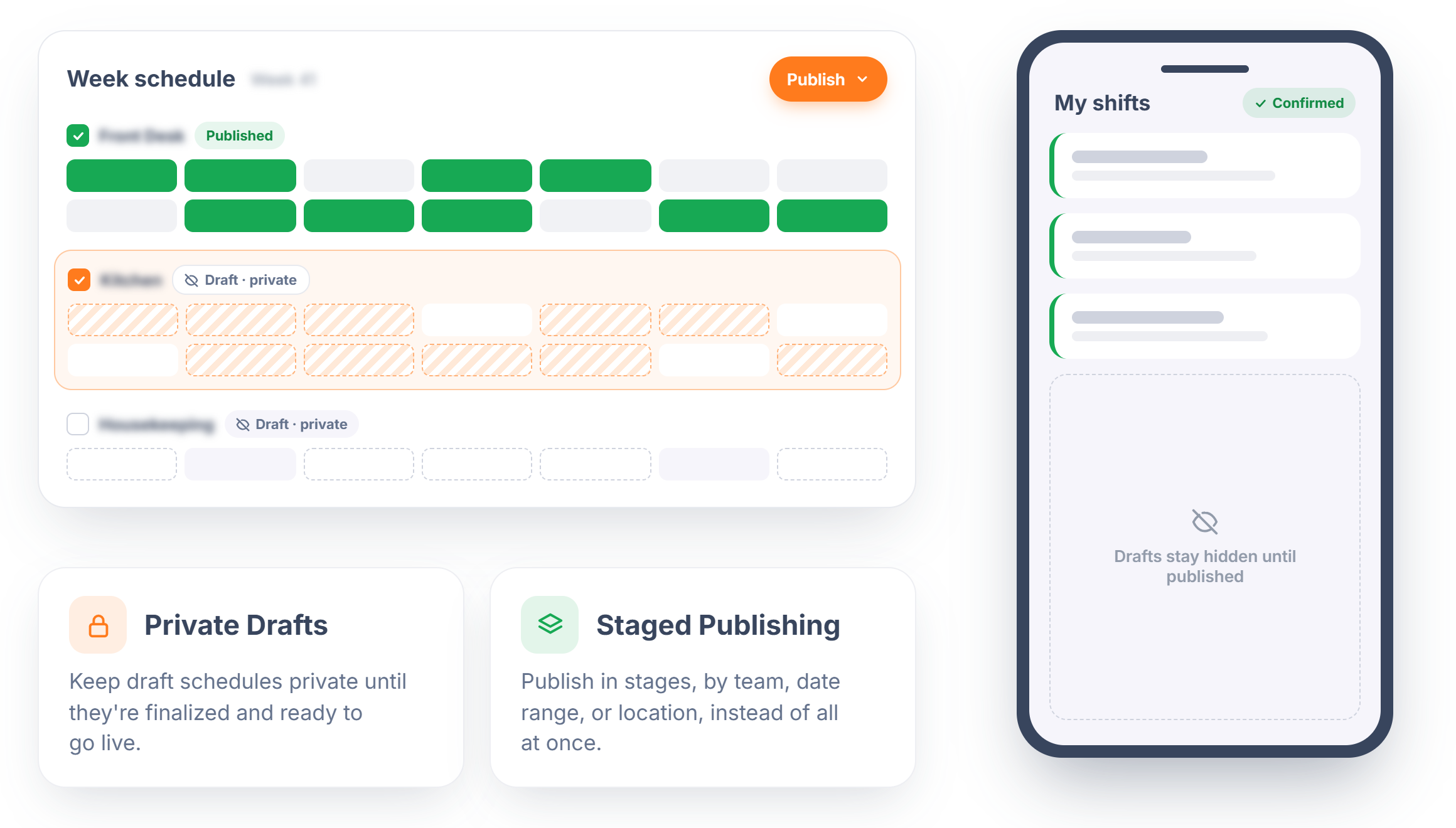
A half-finished schedule shouldn't be visible to the team. Rostero lets managers build shifts privately and publish only when the schedule is final, either all at once or in batches as sections get locked in. Employees only ever see the version that's actually confirmed, with no early drafts circulating and no premature questions to field.
- Private Drafts — Keep draft schedules private until they're finalized and ready to go live.
- Staged Publishing — Publish in stages, by team, date range, or location, instead of all at once.
Shift Details Down to the Minute
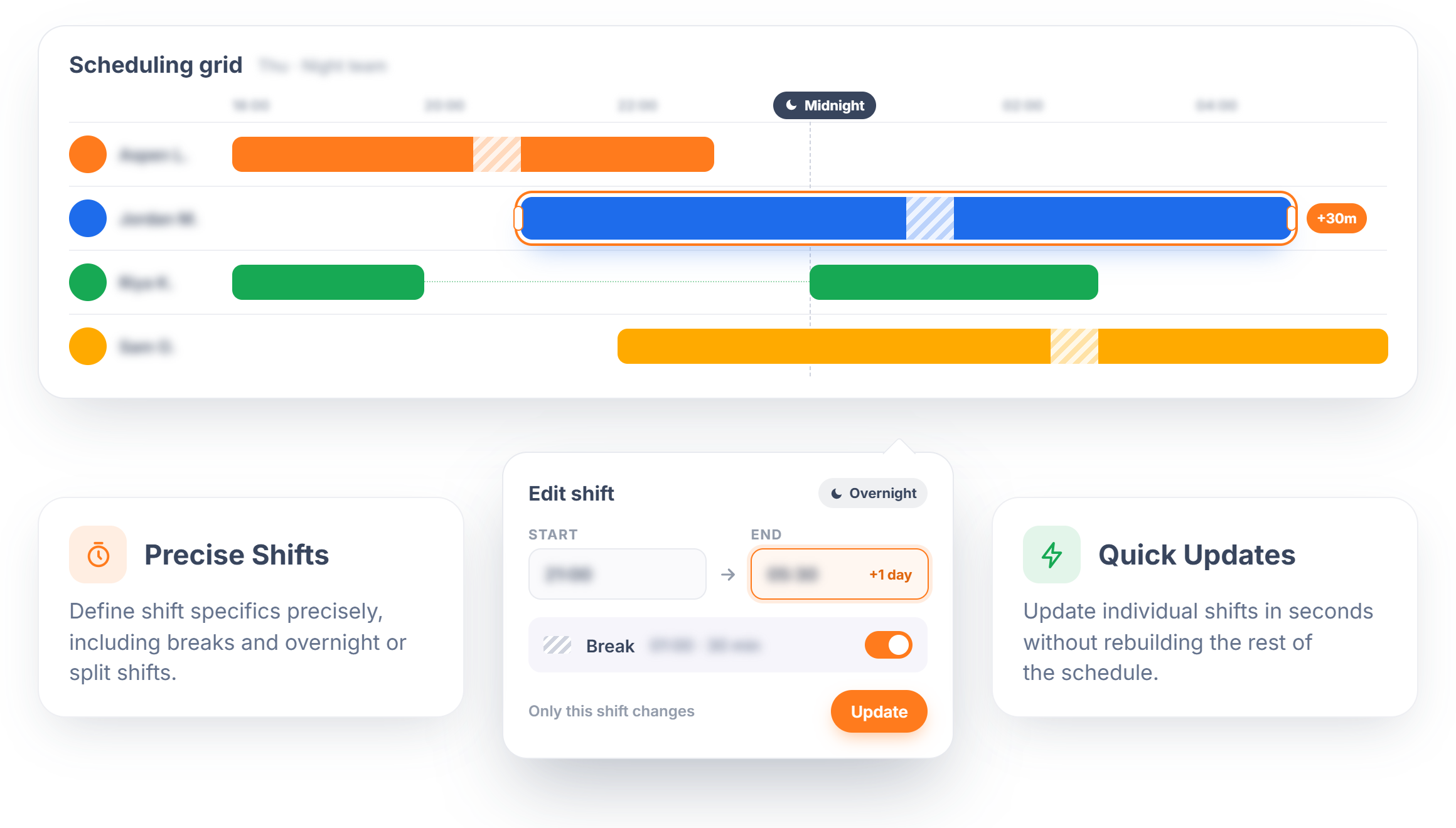
Every business runs shifts differently, and Rostero's scheduling grid is built to match. Set exact start and end times, break windows, and overnight shifts that cross midnight, then adjust any of it in seconds when a call-out or demand spike changes the plan.
- Precise Shifts — Define shift specifics precisely, including breaks and overnight or split shifts.
- Quick Updates — Update individual shifts in seconds without rebuilding the rest of the schedule.
Drag-and-Drop Editing
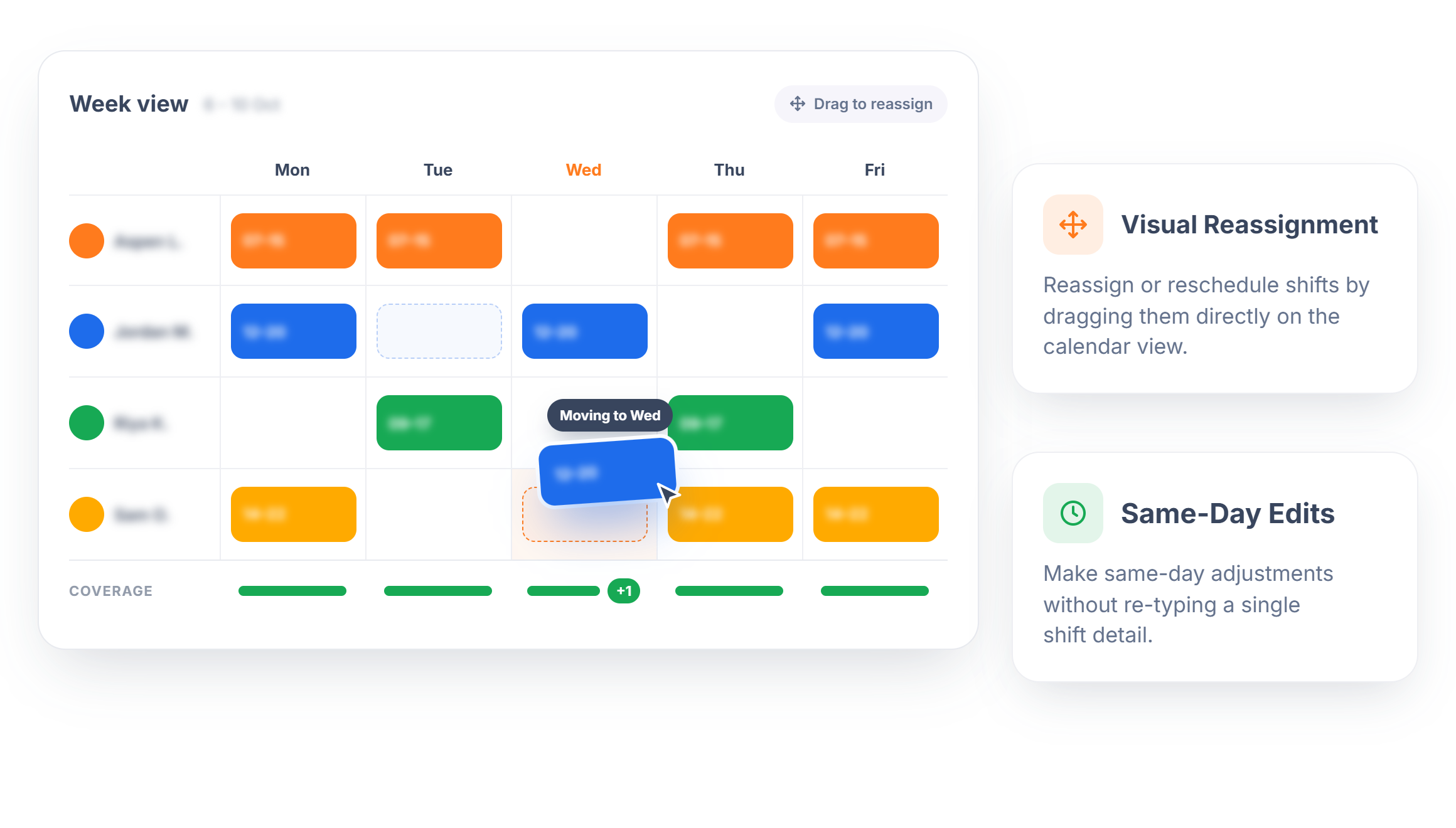
Rebuilding a schedule shouldn't mean re-entering data. Rostero's drag-and-drop grid lets managers move shifts between employees, days, or time slots directly on the calendar, so the whole team's coverage stays visible while changes happen.
- Visual Reassignment — Reassign or reschedule shifts by dragging them directly on the calendar view.
- Same-Day Edits — Make same-day adjustments without re-typing a single shift detail.
Open Shift Coverage
Sometimes a schedule needs a slot before it needs a name. Rostero lets managers create shifts and leave them open, ready to be claimed once availability is confirmed, so anticipated call-outs and seasonal demand stay covered instead of unaccounted for.
- Advance Planning — Build a full schedule shell with unassigned shifts to fill in later.
- Visible Gaps — Keep last-minute coverage visible instead of buried in side conversations.
One Platform, Every Location Covered
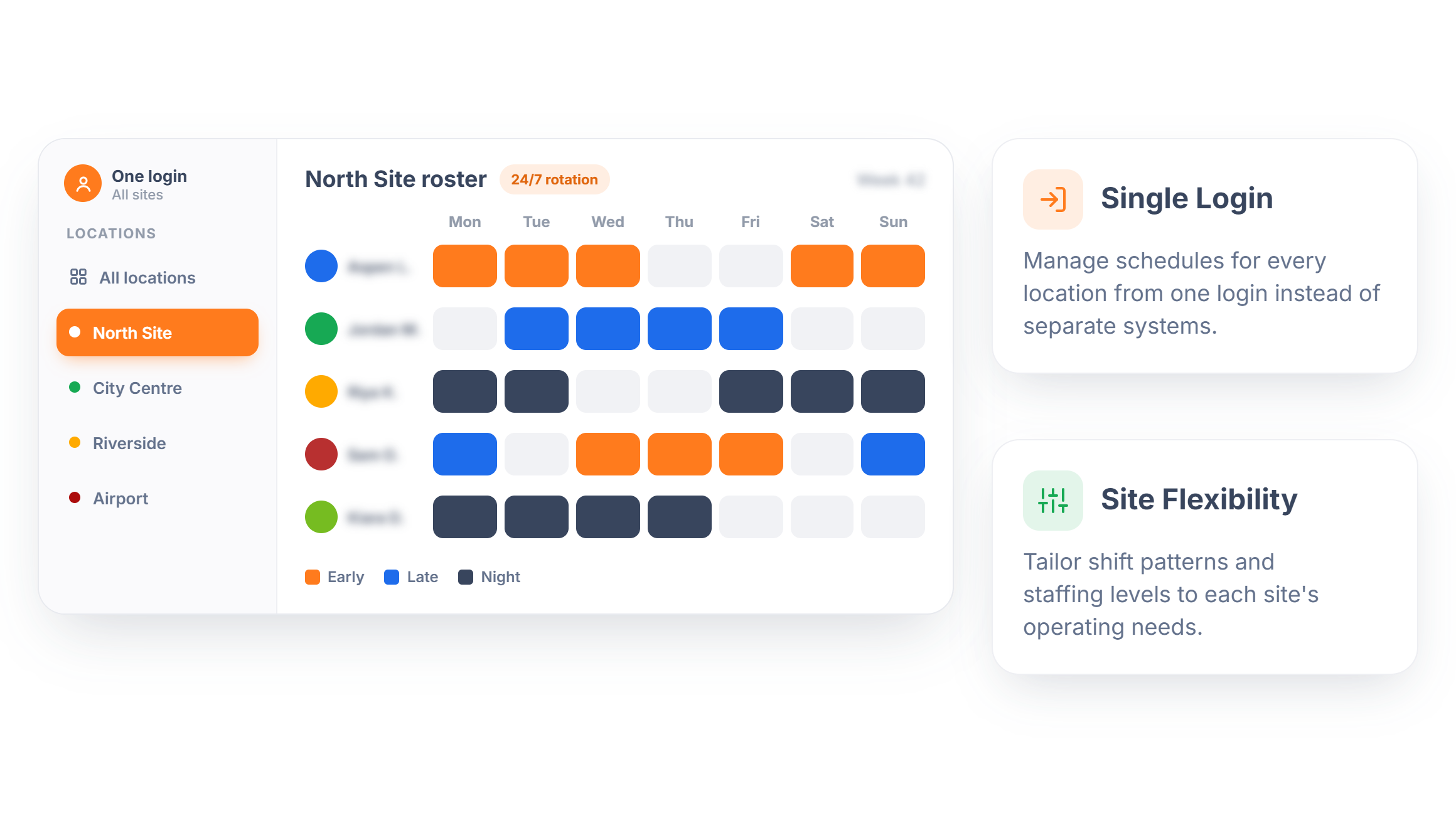
Running shifts across multiple sites usually means juggling multiple systems, or one spreadsheet trying to do too much. Rostero keeps every location's schedule in its own view while managing all of them from a single platform, giving leadership a centralized way to check coverage without chasing reports from every site.
- Single Login — Manage schedules for every location from one login instead of separate systems.
- Site Flexibility — Tailor shift patterns and staffing levels to each site's operating needs.
Schedules That Match Your Department
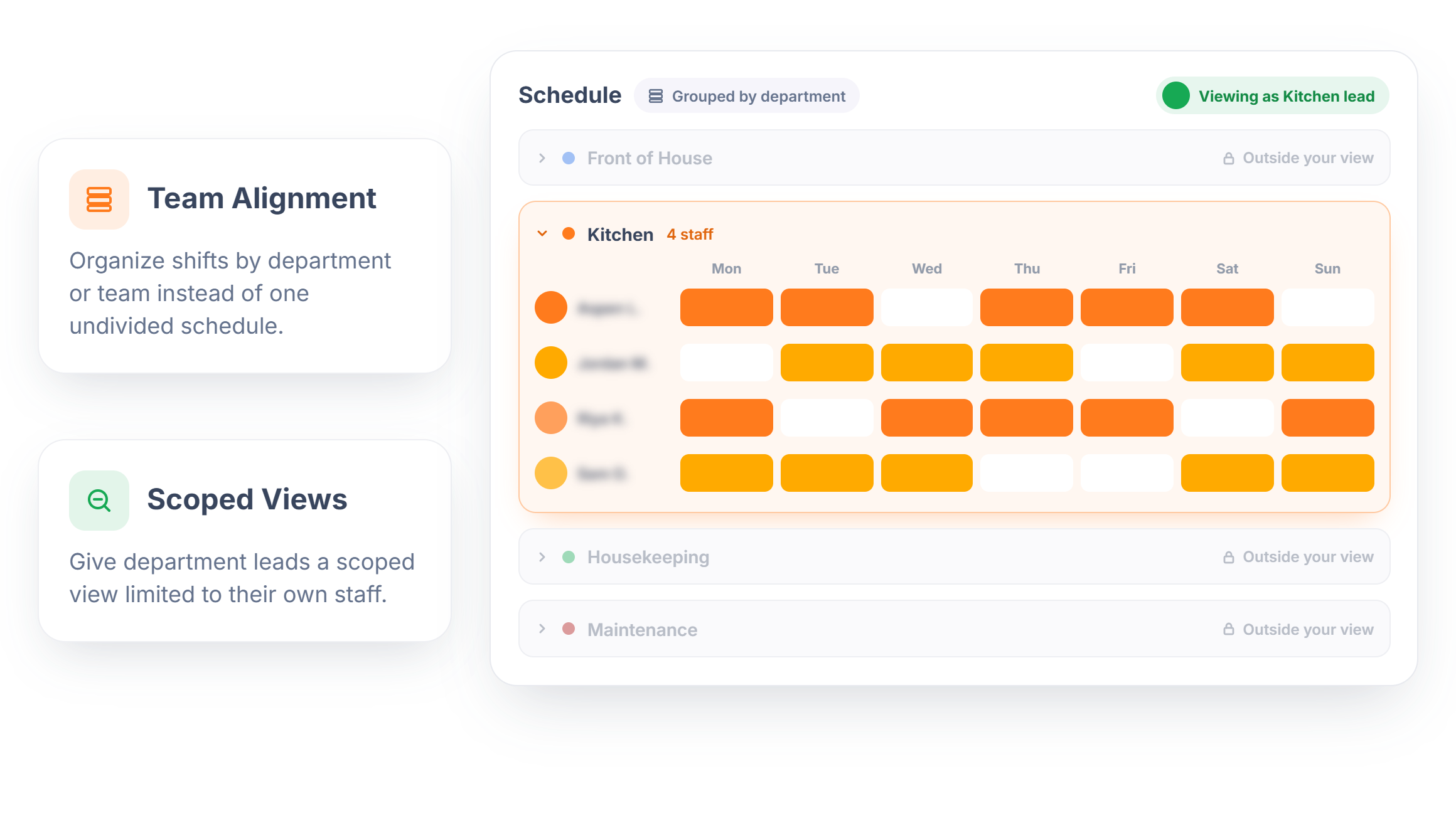
A single flat roster doesn't reflect how most operations are structured. Rostero lets managers group shifts by department or team, so scheduling mirrors actual reporting lines instead of forcing everyone to filter through one long list.
- Team Alignment — Organize shifts by department or team instead of one undivided schedule.
- Scoped Views — Give department leads a scoped view limited to their own staff.
Flexible Views, Whenever You Need It
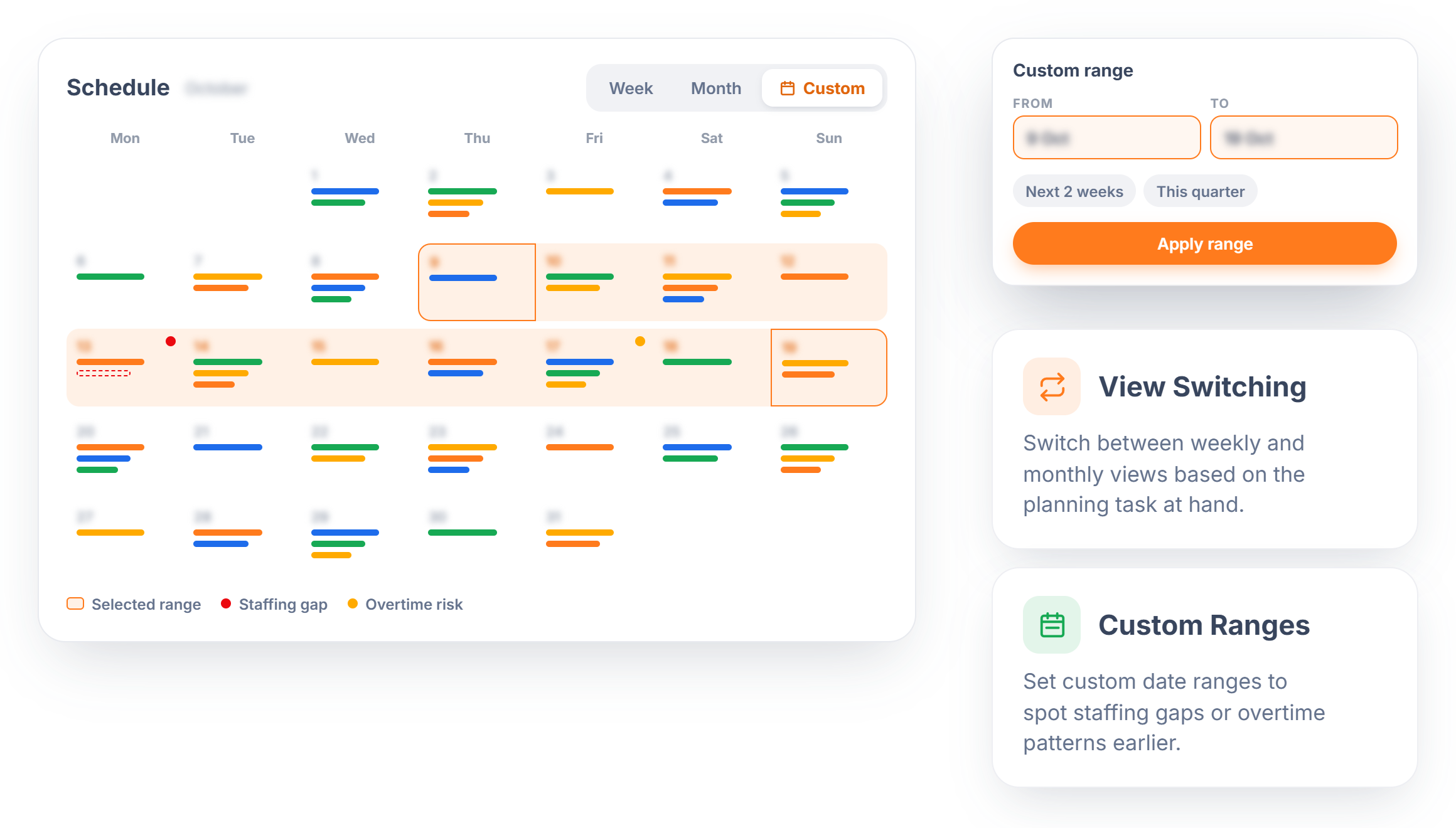
Scheduling decisions happen at different zoom levels. Rostero lets managers switch between weekly and monthly views, or set a custom date range, without exporting data elsewhere just to get a longer-range look.
- View Switching — Switch between weekly and monthly views based on the planning task at hand.
- Custom Ranges — Set custom date ranges to spot staffing gaps or overtime patterns earlier.
Shift Swaps, Without Losing Oversight
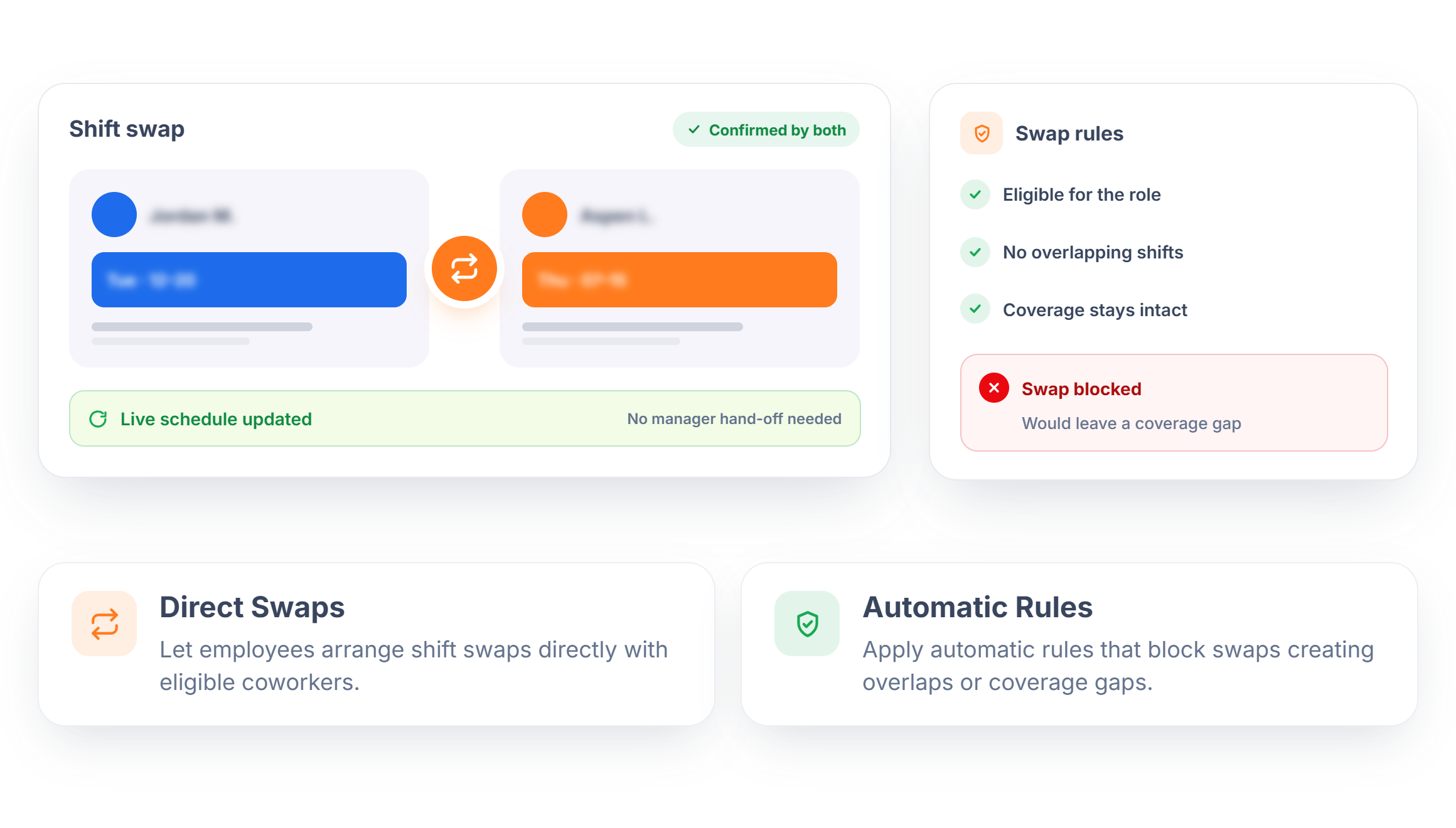
Shift swaps are constant in most operations, and routing every one through a manager slows everyone down. Rostero lets employees request and confirm trades directly with eligible coworkers, while built-in rules keep every swap compliant and update the live schedule the moment it's confirmed.
- Direct Swaps — Let employees arrange shift swaps directly with eligible coworkers.
- Automatic Rules — Apply automatic rules that block swaps creating overlaps or coverage gaps.
Turn Schedule Data Into a Clear Answer
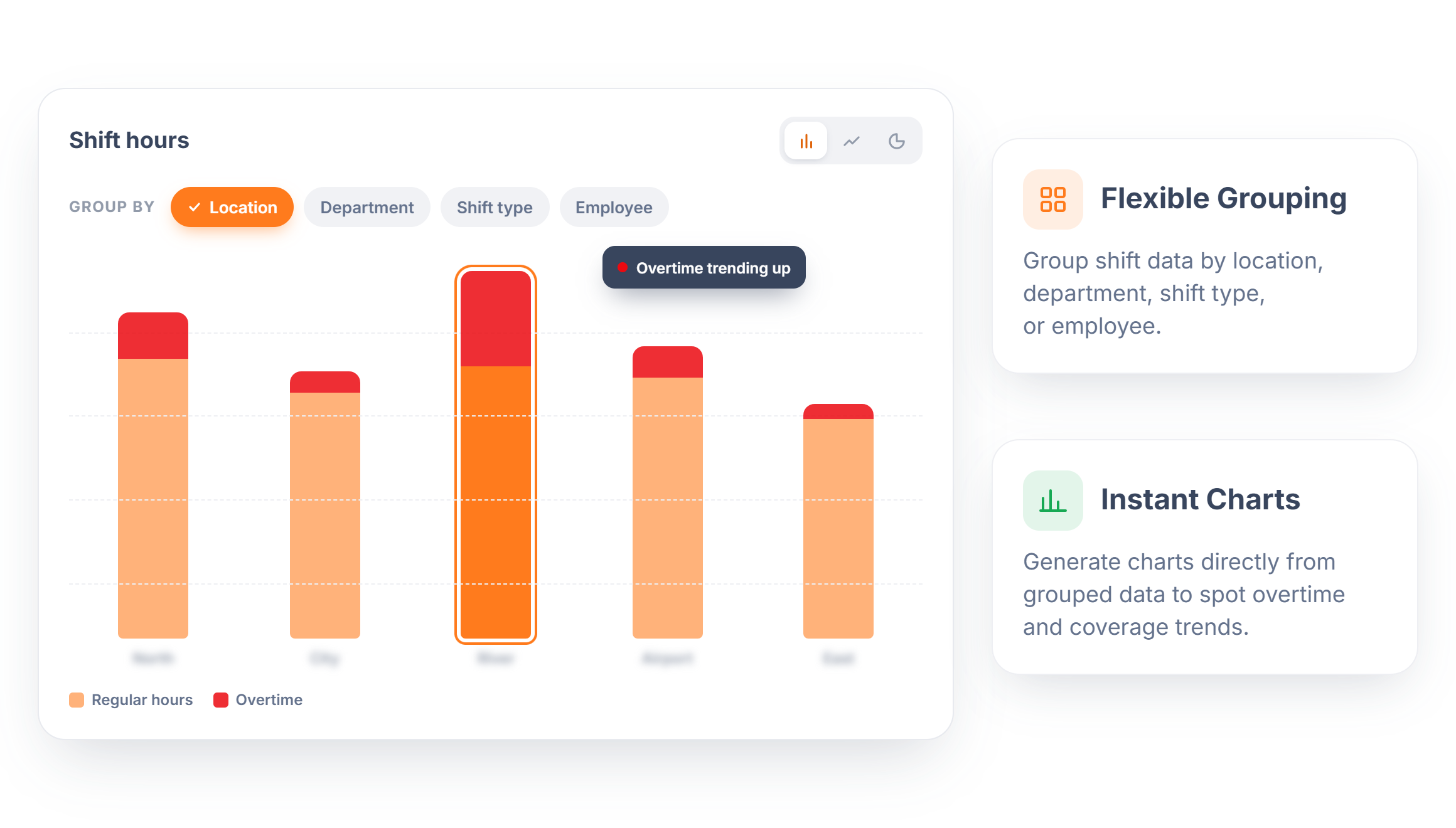
A schedule holds more information than most teams ever pull out of it. Rostero lets managers group shift data by location, department, shift type, or employee, then view that breakdown as a chart, without exporting anything or building a spreadsheet from scratch.
- Flexible Grouping — Group shift data by location, department, shift type, or employee.
- Instant Charts — Generate charts directly from grouped data to spot overtime and coverage trends.
Ready to Simplify How You Schedule?
Spend less time building schedules and more time running your team.
Frequently Asked Questions
It replaces manual spreadsheets and paper rosters with a centralized system for building, publishing, and adjusting shifts, giving managers real-time visibility into coverage and giving employees instant access to their schedules.
Yes. Access can be scoped by role, location, or department, so team leads can manage their own schedules without reaching into settings or teams outside their responsibility.
Yes. Schedules can be built privately and published only once finalized, either all at once or in stages, so employees only ever see the confirmed version.
Yes. Each location keeps its own schedule and staffing pattern, while managers or leadership can view everything from one platform instead of juggling separate systems.
Open shifts can be created in advance without an assigned employee, then filled once availability or demand is confirmed, keeping coverage gaps visible instead of hidden.