Manage Your Leave and Your Employee Schedule in One Place
Time off shouldn't mean guesswork. Rostero keeps leave requests, approvals, and balances connected to the schedule you're already running, so managers always know who's covered and who's not.
Powering seamless employee scheduling for teams of all sizes
Fewer Surprises
Approved leave shows up on the schedule automatically, so no shift gets built around someone who's already off.
Faster Approvals
Managers see the schedule the moment a request comes in, so they can approve with actual coverage in view.
Current Balances
Accruals update on their own, so nobody's guessing how much time off someone has left.
Leave Shouldn't Live in a Separate System
When time-off requests sit in email threads or a separate app, coverage gaps slip through. Rostero ties leave directly to employee scheduling, so every approval, balance, and absence shows up right where shifts get built.
Time-Off Requests, Approved in Minutes
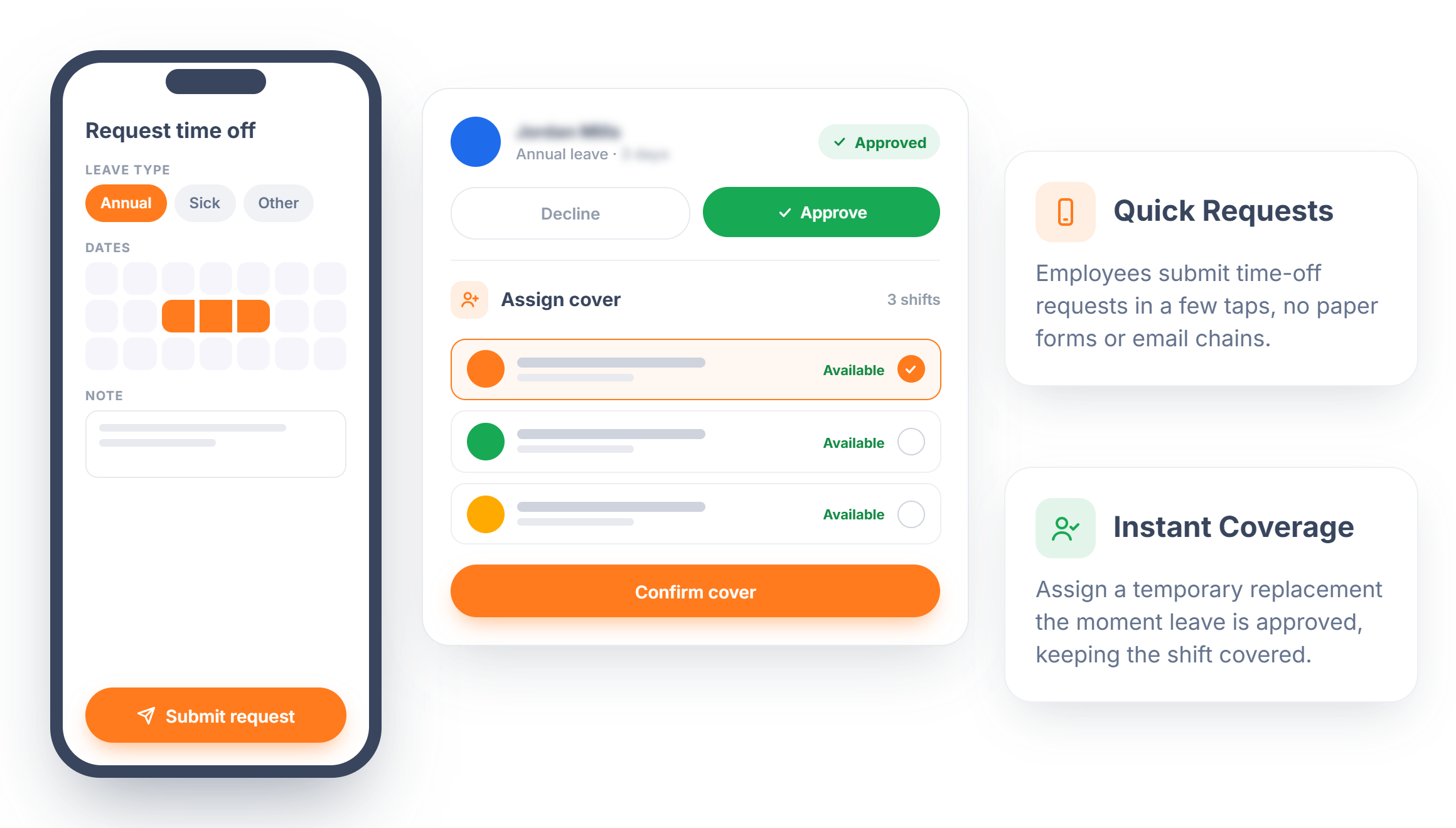
Employees submit time-off requests from their phone, and managers approve or decline. When a request is approved, temporary coverage can be assigned right away so the shift doesn't sit empty.
- Quick Requests — Employees submit time-off requests in a few taps, no paper forms or email chains.
- Instant Coverage — Assign a temporary replacement the moment leave is approved, keeping the shift covered.
See Absences Before They Become Gaps
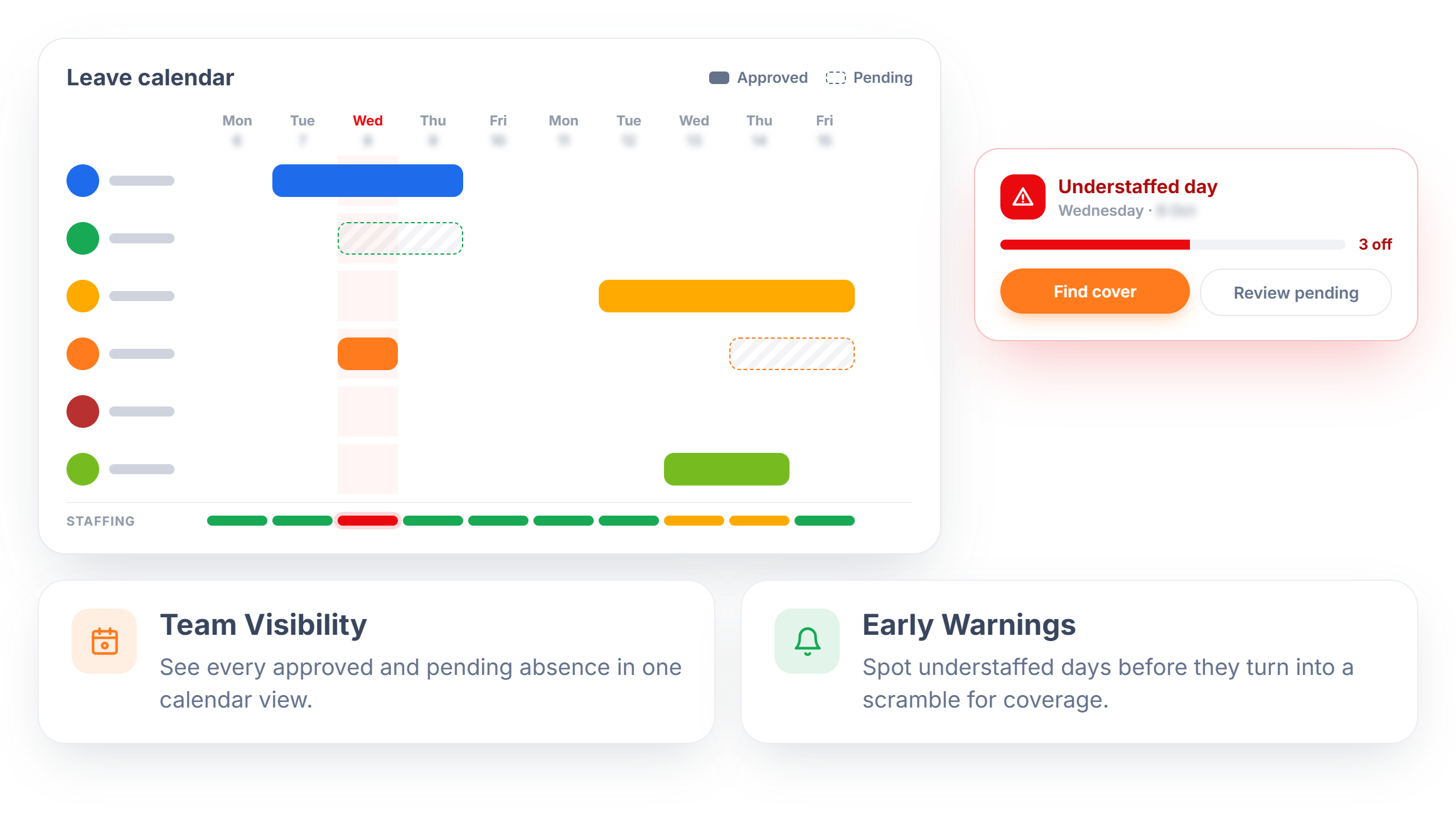
A shared leave calendar shows exactly who's off and when, before and after approval, so managers can catch a coverage problem while there's still time to fix it. It's one view instead of cross-checking a spreadsheet against the schedule.
- Team Visibility — See every approved and pending absence in one calendar view.
- Early Warnings — Spot understaffed days before they turn into a scramble for coverage.
Leave Policies Built Around Your Business
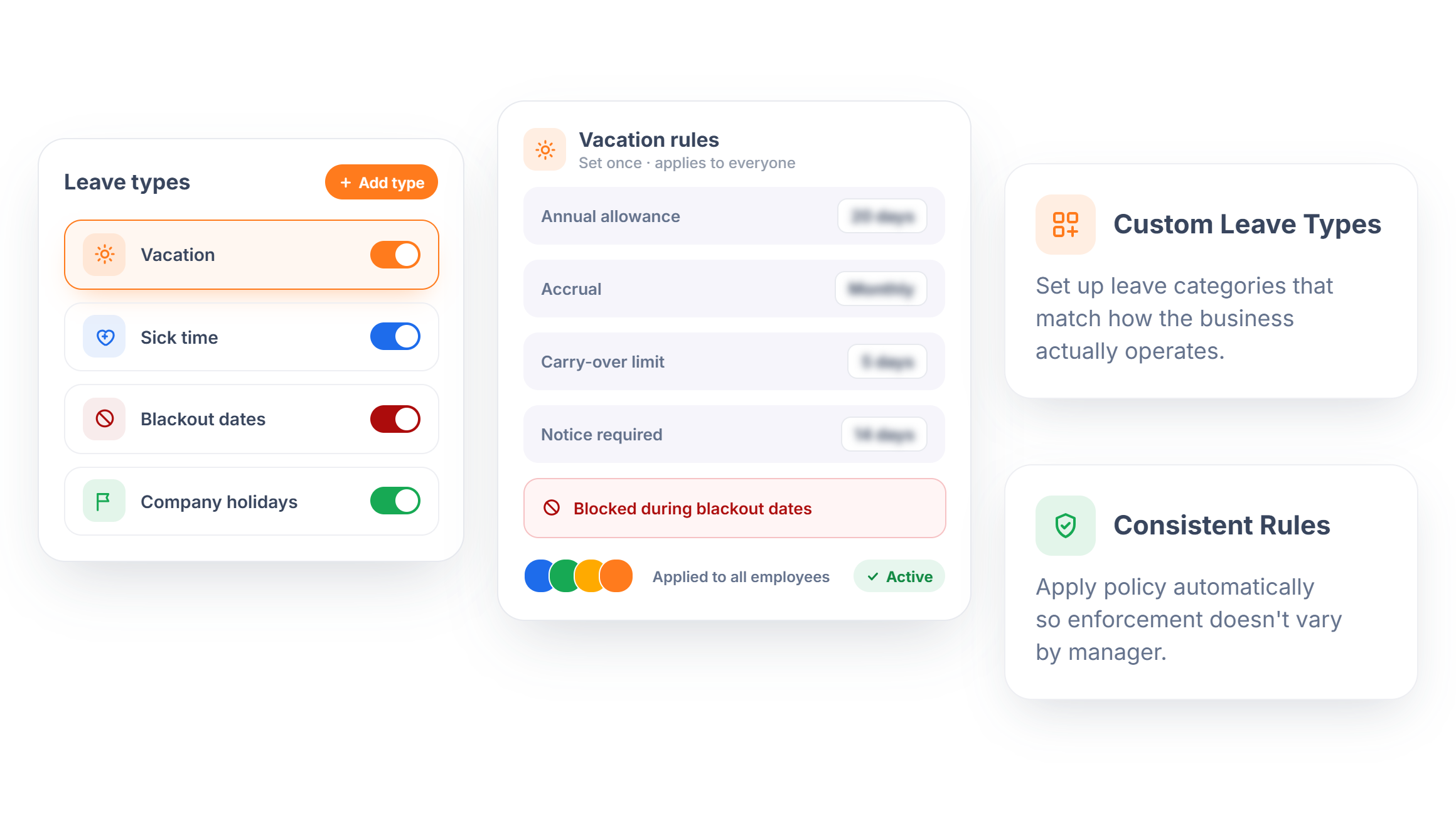
Every business handles time off differently. Rostero lets managers define leave types, vacation, sick time, blackout dates, and company holidays, then set the rules once so the policy applies the same way for everyone without a manager having to enforce it manually.
- Custom Leave Types — Set up leave categories that match how the business actually operates.
- Consistent Rules — Apply policy automatically so enforcement doesn't vary by manager.
Automated Leave Balances
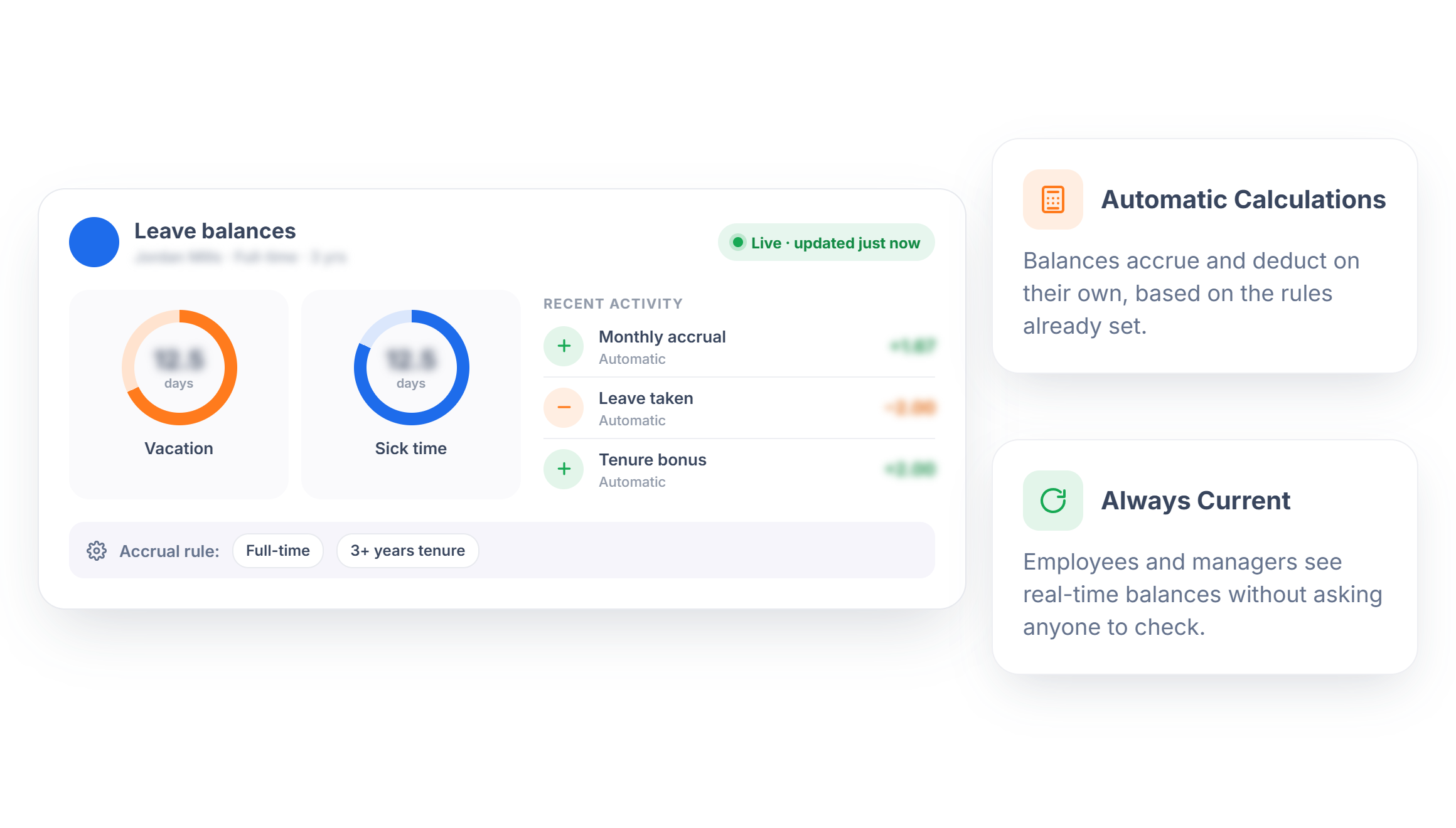
Leave balances build automatically based on rules set by employee type or tenure, so nobody's calculating time off by hand. Employees and managers always see an accurate, current balance instead of an outdated number from the last manual update.
- Automatic Calculations — Balances accrue and deduct on their own, based on the rules already set.
- Always Current — Employees and managers see real-time balances without asking anyone to check.
Ready to Take Leave Off the Spreadsheet?
Spend less time chasing approvals and more time keeping shifts covered.
Frequently Asked Questions
Approved leave appears directly on the schedule, so managers can see who's off without cross-checking a separate system before building or adjusting shifts.
Yes. Once a policy is set, it applies automatically wherever it's assigned, so enforcement doesn't vary by manager or location.
Yes. Leave types like vacation, sick time, blackout dates, and company holidays can each be configured with their own rules.
The shared leave calendar shows every approved and pending absence, so managers can catch coverage gaps before they become a problem rather than after.
Yes. Balances accrue and deduct based on the rules set for each employee type or tenure level, without manual calculation.